How to Write a Winning Resume (ATS-Friendly)
Today's job search is a digital gatekeeper. Over 90% of large firms use Applicant Tracking System software. This number grows in smaller companies too.
An Applicant Tracking System organizes and ranks applications. It scans for keywords that match a job description. This automated process helps recruiters find qualified people.
Many applications never reach a hiring manager. They fail because the document is not ATS-friendly. This creates a major barrier for skilled candidates.
Understanding this technology is the first step to success. This guide explains the core principles. It provides actionable strategies for modern job seekers.
Readers will learn proper formatting and keyword placement. The goal is a document that appeals to both software and human recruiters. This knowledge can transform application outcomes.
Key Takeaways
- Most large companies use Applicant Tracking Systems to screen resumes.
- An ATS scans for specific keywords from the job description.
- Many qualified candidates are filtered out by automated software.
- A successful resume must be readable by both computers and people.
- Proper formatting and strategic keyword use are essential.
- Tailoring your application to each job increases your ranking.
- Understanding ATS technology is crucial for any job search.
Understanding the Role of ATS in Modern Recruitment
The first hurdle in many hiring processes is no longer a human but a computer program. This program is an Applicant Tracking System.
What is an Applicant Tracking System?
An Applicant Tracking System (ATS) is specialized software. Employers and recruiters use it to screen resumes automatically. The system scans each application for keywords and data points.
Recruiters input the job description into the software. It then builds a profile of the ideal candidate. Every applicant's resume is compared against this profile.
Why ATS-Friendly Resumes Are Essential
Over 90% of large companies use these tracking systems. Many mid-sized firms do too. If a resume is not optimized, the ATS may reject it.
This means a qualified applicant never reaches a human recruiter. Creating an ATS-friendly document is now a critical step.
| Resume Element | ATS-Friendly Approach | Traditional Approach |
|---|---|---|
| File Format | .docx or .pdf (text-based) | Image-based PDFs |
| Keyword Placement | Integrated naturally in context | Listed in a separate box |
| Section Headers | Standard labels (e.g., "Work Experience") | Creative titles (e.g., "My Journey") |
This table highlights key differences. Following the ATS-friendly column helps your application pass the initial scan.
Key Elements of ATS-Friendly Resume Layouts
Simplicity in resume structure is not just aesthetic. It's a technical requirement for automated screening. The right layout ensures software can read and score your document correctly.
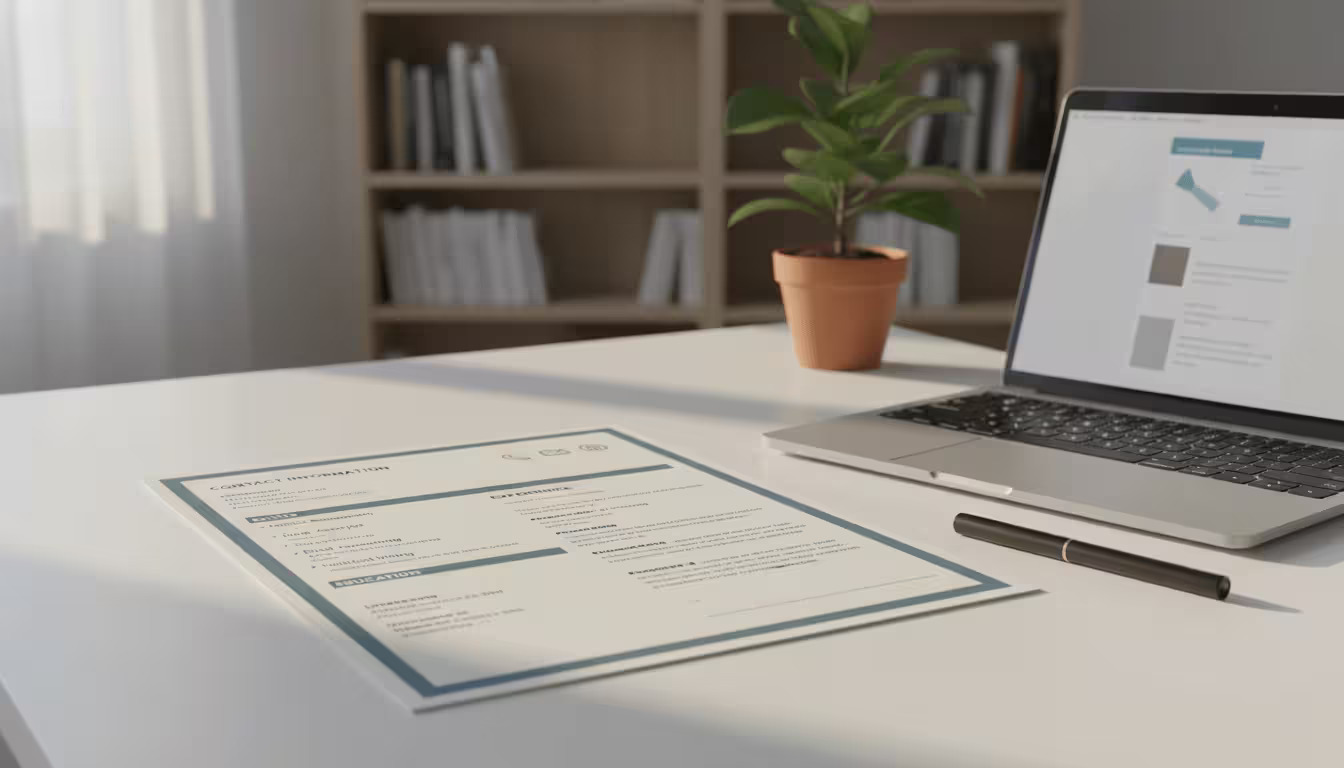
Professional template designs follow this principle. They create a clear path for both systems and human eyes.
Design & Typography Best Practices
Choosing standard fonts is crucial. Arial, Calibri, and Times New Roman are safe bets. These typefaces are easily parsed by an ATS.
Avoid decorative or script fonts. They can cause parsing errors. The software prefers clean, simple text.
Stick to basic formatting. Do not use tables, columns, or text boxes. Graphics and images also confuse the scanning software.
Standard sections headers are a must. Use "Work Experience," "Education," and "Skills." Creative titles like "Career History" may not be recognized.
https://www.youtube.com/watch?v=xM9i5M2AFGE
Optimal File Formats and Simple Structures
The file format you choose matters. Most modern systems handle .DOCX and .PDF well. However, .DOCX is often the safest choice.
Always check the job posting for specific file preferences. Some older ATS versions struggle with certain PDFs.
A single-column structure is ideal. It presents information in a logical, top-down flow. This simplicity helps the software categorize your data accurately.
Expert-designed template options balance these technical needs. They ensure your resume is both machine-readable and visually appealing to recruiters.
Importance of Keywords and Tailoring Content
Strategic keyword use forms the bridge between a job description and a successful application. This optimization is the cornerstone of creating an ATS-friendly resume. The software is programmed to scan for specific terms from the posting.
It matches individual skills, certifications, and job titles. The more your document resembles these keywords, the higher it ranks.
Integrating Job-Specific Keywords Effectively
Start by carefully analyzing the job description. Extract the most frequently mentioned requirements and core competencies. Incorporate these terms word-for-word into your resume content.
For a role requiring "data analysis," use that exact phrase. Place keywords naturally within your work experience bullet points. This demonstrates their practical application.
Utilizing Synonyms and Variations
Modern systems use latent semantic indexing (LSI). This allows them to recognize related terms and synonyms. If a description mentions "project management," also include "program coordination" where relevant.
This strategy covers variations the ATS might seek. Avoid confining key terms to one section. Sprinkle them throughout your professional summary and achievements.
This tailored approach aligns your content with what each specific position demands. It satisfies automated screening while keeping the document compelling for human recruiters.
How to Write a Winning Resume (ATS-Friendly)
A systematic process transforms raw career data into a compelling, machine-readable ATS-friendly resume. Following a clear sequence ensures every element meets both technical and human reader standards.

Step-by-Step Guide to Building Your Resume
Begin by accessing a modern AI Resume Builder platform. Create an account or log in to start a free trial for full feature access. Users can build a new document from scratch or upload an existing one for enhancement.
Selecting the right template is crucial. Options like Classic suit traditional roles, while Minimalist fits modern positions. Visionary and Elegant designs cater to senior and versatile application needs.
The tool guides the entry of standard sections. These include Target Domain, Experience Level, and an optional job description. Focus on quantifiable achievements in each work entry, not just duties.
Finally, utilize AI editing features. They fix grammar, improve sentence flow, and refine professional tone. This optimizes the structure for ATS readability, creating a polished final resume.
Optimizing Work Experience and Educational Background
The core of a successful application lies in its most scrutinized parts: professional history and academic credentials. Automated systems and human recruiters prioritize these sections to evaluate qualifications.
Highlighting Achievements with Quantifiable Results
For both software and hiring managers, achievements trump duties. Transform basic job responsibilities into statements that demonstrate delivered value. Use specific numbers, percentages, and metrics.
Structure each work experience entry clearly. List the company name, job title, employment dates, and location on separate lines. This format helps the system parse the information correctly.
| Weak Responsibility | Strong Achievement | Key Elements Added |
|---|---|---|
| Managed social media accounts. | Grew Instagram following by 35% in 6 months through targeted content campaigns. | Metric (35%), time frame (6 months), specific action. |
| Responsible for team budget. | Reduced departmental expenses by 15% ($50,000) through vendor renegotiation. | Percentage (15%), dollar amount ($50,000), method. |
| Handled customer service. | Improved customer satisfaction scores from 78% to 92% over two years. | Metric improvement (78% to 92%), years of experience. |
Present your education with equal clarity. Include the degree, institution, and graduation date. List relevant coursework or honors if they match the job requirements.
Complete and unambiguous information in these sections ensures the ATS accurately scores your resume. It recognizes your full years experience and relevant skills.
Leveraging AI Tools and Modern Resume Builders
Artificial intelligence now provides direct support to job seekers during the resume creation phase. Modern software platforms transform this complex task into a guided, efficient process.
These tools ensure technical compatibility while enhancing professional presentation.
Benefits of AI-Powered Resume Optimization
AI resume builders analyze job descriptions to suggest relevant keywords and phrases. This automation increases ATS ranking scores while keeping language natural.
The software also improves grammar, refines tone, and optimizes document structure. Real-time compatibility checks help identify potential parsing issues before submission.

Using LinkedIn and Existing Templates
Candidates can accelerate the process by importing their LinkedIn profile data. This populates work history, skills, and accomplishments directly into the builder.
Selecting the right pre-designed template is crucial for both appeal and parsing. Each format is engineered for specific career applications and industries.
| Template Type | Description | Best For |
|---|---|---|
| Classic | A traditional, clean format for a professional look. | Finance, Law, Government roles. |
| Minimalist | A modern, straightforward layout with clear sections. | Tech, Engineering, Creative fields. |
| Visionary | A design with more visual flair and strategic spacing. | Senior Executive and Leadership positions. |
| Elegant | A professional yet stylish format, versatile in use. | Marketing, Sales, and versatile career applications. |
Using these guided template options and AI suggestions, most users complete a polished resume in under 15 minutes. The final PDF or DOCX file is both machine-readable and recruiter-ready.
It is important to review AI suggestions. Maintain personal control over the final content to ensure it authentically represents your unique data and story.
Showcasing Skills, Certifications, and Additional Information
Beyond work history, a candidate's certifications and competencies form a critical part of the screening process. This information provides concrete evidence of qualifications.
Create a dedicated skills section. List technical abilities and soft skills using exact terms from the job description. This strategy feeds essential keywords directly into the ATS scan.
Professional certifications and recent courses add significant weight. List the full name, issuing body, and date. This demonstrates ongoing development and matches more specific role requirements.
| Information Type | When to Include | ATS Benefit |
|---|---|---|
| Technical Skills | Always, if listed in the job posting. | Direct keyword matching for core competencies. |
| Professional Certifications | When relevant to the position or industry. | Matches specific credential requirements. |
| Volunteer Work | If it demonstrates relevant skills or leadership. | Provides additional context for skills application. |
| Hobbies/Interests | Only when directly related to the job duties. | Shows cultural fit or unique, relevant abilities. |
Every piece of added content should serve a purpose. Consistent formatting across all sections ensures the resume is parsed correctly. This strengthens the overall application for both software and the hiring manager.
Crafting a Complementary ATS-Friendly Cover Letter
To pass modern recruitment filters, both your resume and cover letter must be machine-readable. Many tracking systems evaluate the complete application package. A tailored cover letter boosts your visibility significantly.
This document provides extra space for relevant keywords. It allows candidates to incorporate terms from the job description that might not fit in the resume naturally.
Aligning the Cover Letter with Your Resume
Consistency between both documents is crucial. Ensure dates, titles, and company names match exactly. This avoids confusion for the hiring manager.
Use a simple template with standard fonts and clear sections. Avoid complex formatting that could confuse parsing algorithms.
Personalize the content for each application. Mention the target company and specific role requirements. This demonstrates genuine interest and attention to detail.
The cover letter can explain career transitions or highlight key achievements. Keep it to three or four concise paragraphs. A professional tone aligns with the resume presentation.
Treat this document with the same optimization care as your ATS-friendly resume. Together, they create a cohesive narrative that advances your candidacy.
Conclusion
Ultimately, the effort invested in crafting a machine-readable document yields significant professional rewards. Creating an ATS-friendly resume is now essential, not optional, for job search success.
The core principles involve understanding applicant tracking software, using clean layouts, and integrating keywords from the job description. This dual approach ensures your resume passes automated systems and impresses the hiring manager.
Tailoring your application for each specific position dramatically increases visibility. View this as an ongoing process, updating your document as you gain new experience and skills.
These practical ways to navigate modern recruitment technology level the playing field. They help qualified candidates advance their career goals effectively.
FAQ
What exactly is an applicant tracking system?
An applicant tracking system (ATS) is recruitment software used by employers to manage the hiring process. It automates the collection, sorting, and ranking of job applications. This system scans resumes for specific keywords and criteria before a human recruiter ever sees them, making it a critical first gatekeeper in modern hiring.
Why is a simple resume layout better for ATS software?
A simple, clean layout with standard fonts like Arial or Times New Roman ensures the applicant tracking system can parse the document's information correctly. Complex designs, graphics, tables, or unusual formatting can cause the software to misread data or reject the file entirely, burying a qualified candidate's application.
What is the best file format to use for an ATS-friendly resume?
A .docx file is generally the safest and most universally compatible format for applicant tracking software. While PDFs are common, some older systems cannot parse them accurately. Always check the job description for specific instructions, as some companies may request a PDF.
How do I find the right keywords to include on my resume?
The most effective method is to analyze the job description. Identify repeated terms, specific software names, required certifications, and core competencies. Tools like Jobscan can also help by comparing your resume against a posting to identify missing keywords that match the employer's requirements.
Should I list every job I've ever had on my ATS resume?
No. Focus on the most recent and relevant 10-15 years of experience. Tailor your work history to highlight positions and achievements that directly align with the target role. This keeps the document concise and increases the density of relevant keywords for the applicant tracking system.
How important is a cover letter when applying through an ATS?
While the primary focus is often on the resume, a tailored cover letter remains valuable. It provides context, showcases communication skills, and offers another opportunity to include relevant keywords. Some systems parse cover letters as well, so aligning its content with both the job description and your resume strengthens your overall application.
Can using a template from LinkedIn or another builder hurt my chances?
Not if chosen carefully. Many modern resume builders and platforms like LinkedIn offer clean, ATS-friendly templates. The key is to select a design with a single-column, straightforward structure. Avoid templates with sidebars, multiple columns, or decorative elements that could confuse the parsing software.
🚀 Take Action with JobWiz
AI Resume Enhancement — Let JobWiz analyze and optimize your resume for ATS compatibility in seconds. Tailor it to any job description automatically. Try it free →
📚 Related Reading
- Crafting a Standout Cover Letter — Pair your optimized resume with a compelling cover letter.
- Mastering the Job Interview — Prepare for the interviews your new resume will land.
- Optimize Your LinkedIn Profile — Extend your personal brand beyond your resume.